
AI agent monitor
See live Claude Code, Codex, and Antigravity sessions. Tap a physical key to bring the matching window to the front.
- Amber · Approval needed
- Green · Done
Open-source USB HID controller for macOS
See your agents and remaining quotas across 13 LCD keys, then tap straight into the window you need.

Web simulator
Select any of the ten modes to see a real hardware capture. With a key focused, use ← / → to flip through modes.
See live Claude Code, Codex, and Antigravity sessions. Tap a physical key to bring the matching window to the front.
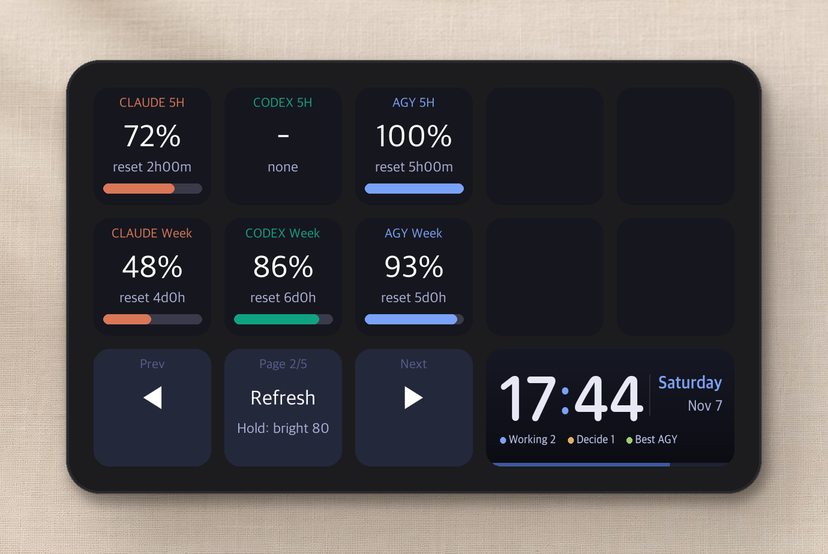
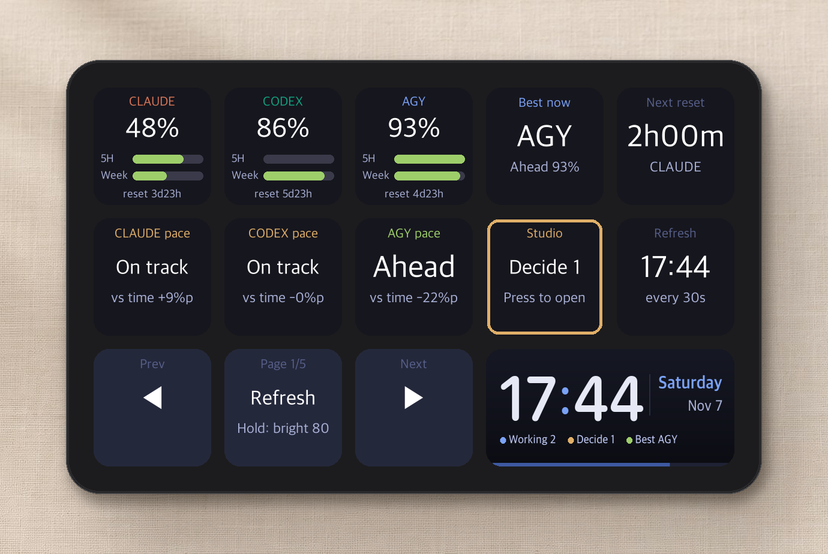
Read remaining usage and burn pace for Claude, Codex, and AGY. AGY shows separate 5H, GEM, and 3P bars plus a weekly quota note.

Advance or rewind your slides, keep an eye on the talk timer, and trigger a lecture recording through AGENT.NOTE.
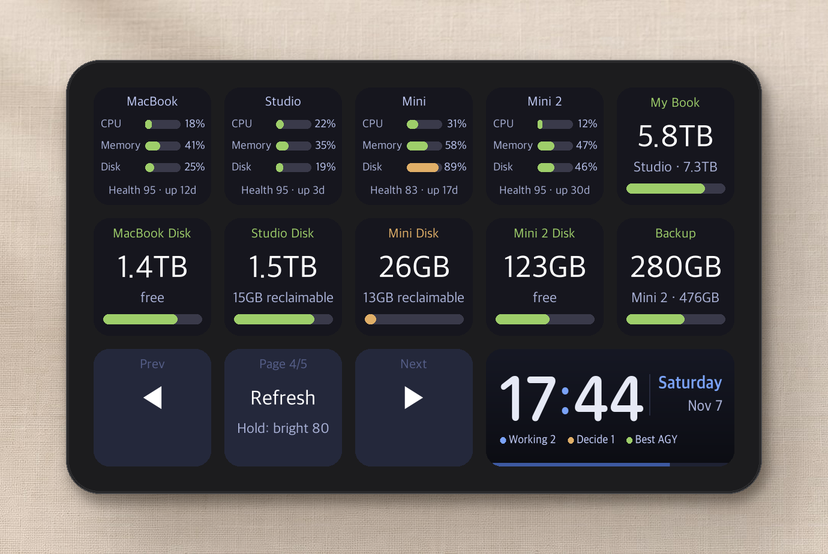
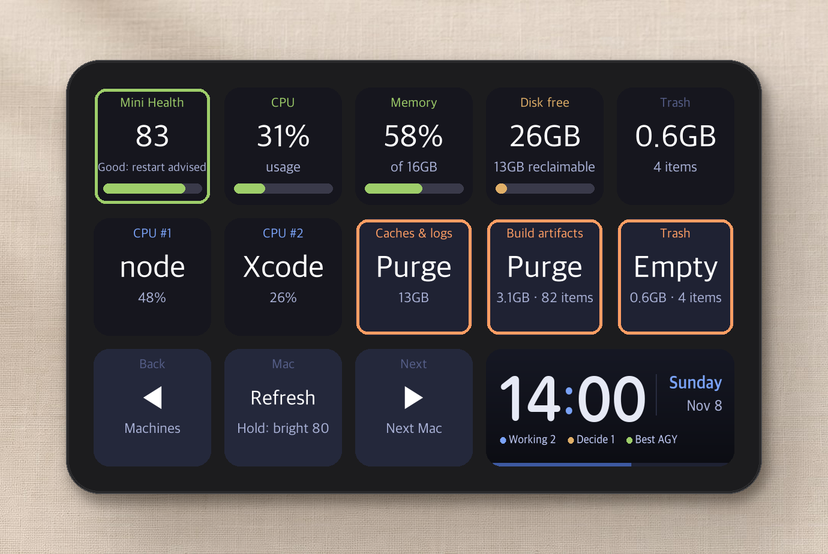
Check CPU, RAM, local disk, and external drive usage across your Mac Studio, Mac mini, and MacBook.
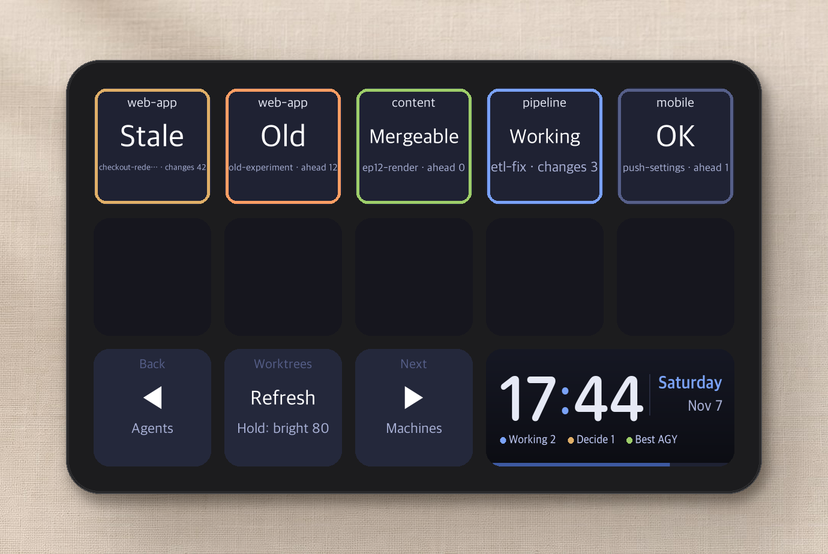
Inspect stale or abandoned Git worktrees on the deck. Choose a worktree and confirm before cleaning it up.

Use ten LCD keys as a single focus timer. Start from a physical button and glance down to check the time left.

Scan a ticker grid with color-coded daily gains and losses. A glance at the deck shows how the tickers are moving.

Play AI Startup Tycoon or one of seven other quick games directly on the deck’s physical keys.

Turn the deck into an aquarium, fireplace, rain scene, or beach. Ambient audio is optional.
Assign apps, folders, and commands to physical keys and trigger them with a single tap.
Product film · 40 seconds
Watch the deck switch between AI agents, usage quotas, and Mac telemetry.
Capabilities
Claude Code, Codex, and Antigravity sessions glow amber when they need approval and green when they finish. Tap to focus the matching window.
Check remaining usage and burn pace for Claude, Codex, and AGY, with separate 5H, GEM, and 3P bars and a weekly AGY note.
Check CPU, RAM, and disks across Macs, then inspect stale Git worktrees and confirm before cleanup.
Advance your slides, watch the talk timer, and trigger a lecture recording through AGENT.NOTE.
Use a 10-key Pomodoro timer, a stock heatmap, and one-tap shortcuts for apps, folders, and commands.
Settle into an aquarium, fireplace, rain scene, or beach, or play one of eight games including AI Startup Tycoon.
Hardware
Direct USB HID on Apple Silicon Macs. The device works with stock firmware and needs no vendor software.
| Models | Status | Connection and setup |
|---|---|---|
| Ulanzi D200 / D200H | Verified | 13 LCD keys plus a wide bottom-right display. Direct USB-C HID with automatic recovery after unplugging and reconnecting. For D200H, select the d200h model in config.json. Reconnect fix PR #3 |
| Elgato Stream Deck MK.2 / XL | Experimental | The wide tile spans keys 13 and 14. Install the optional Elgato requirements for auto-detection. |
| Mirabox StreamDock 293 · 293V3 · 293S · 293SV3 + Ajazz AKP153 | Experimental | Pure hidapi driver. Use scripts/probe_mirabox.py for device discovery. |
Ulanzi D200X is not yet verified.
Quickstart · MIT open source
You’ll need an Apple Silicon Mac with Python 3.11 or later and a compatible deck.
Download the source and setup files from GitHub.
git clone https://github.com/jakeparkcolde/agentdeck.git
cd agentdeckInstall dependencies in a virtual environment and copy the default configuration.
python3 -m venv .venv
.venv/bin/pip install -r requirements.txt
cp config.example.json config.jsonQuit the vendor app if it’s open, then connect your deck by USB.
.venv/bin/python dashboard.pyInstall Elgato dependencies
.venv/bin/pip install -r requirements-elgato.txtRender the Elgato layout to PNG
.venv/bin/python preview.py --device elgato ./preview/